
 Remote Support

Ubiquiti Professional Integrator, Brisbane
Your UniFi installer for networks, cameras, doors and phones across Australia
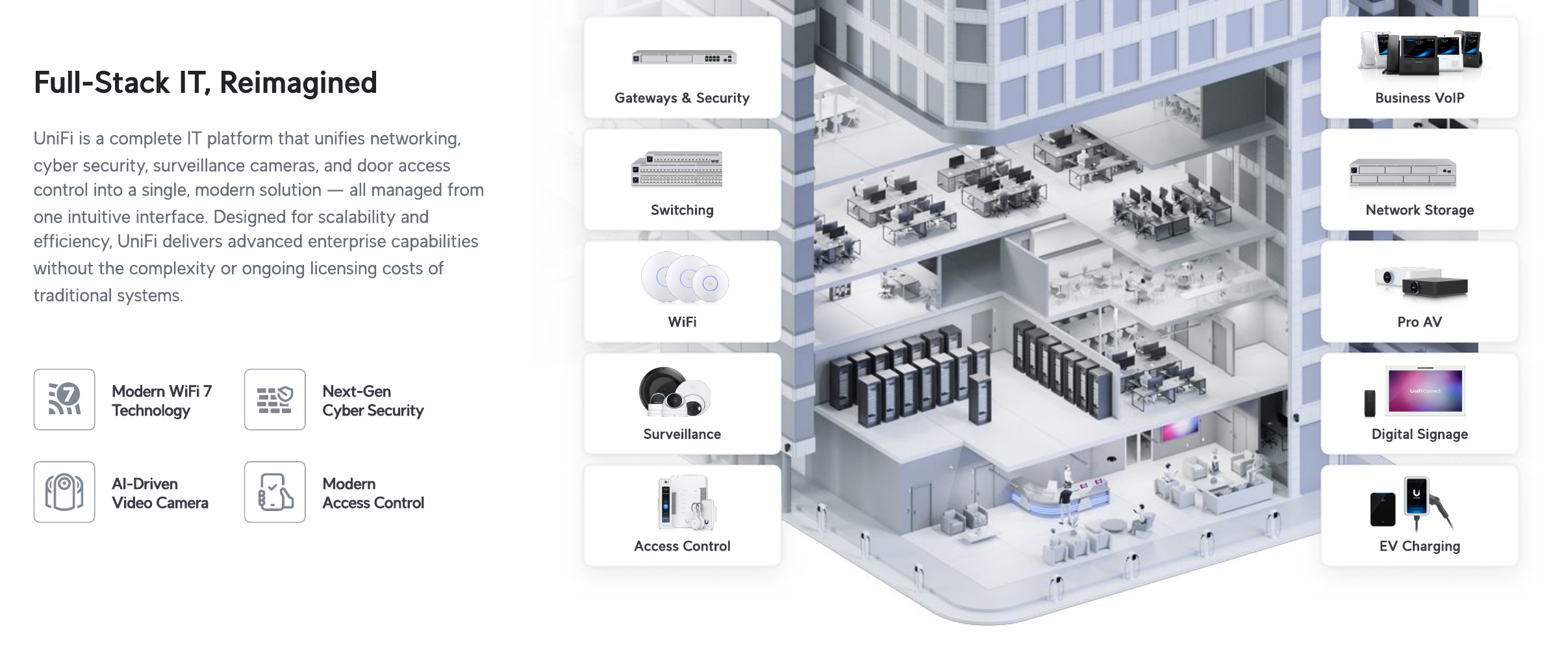
Real Bytes is a Ubiquiti Professional Integrator based in Brisbane and your UniFi installer for businesses across Australia. We design, install and manage UniFi networks, Wi-Fi 7, Protect cameras, Access door control and Talk phones — one console for every layer, no per-device licence fees on the core platform, one team accountable for the result.
Listed in the Ubiquiti Professional Integrator directory
Ubiquiti certified
Certified UniFi engineers, not box-shifters
Our engineers hold the full set of Ubiquiti certifications, covering routing and switching, full-stack deployment and wireless administration. That means the team designing your network, cameras and doors is the same team that built it, and the same team that supports it.

URSCA
Routing, Switching & Cybersecurity
Advanced routing, switching and network security across the UniFi console, from segmentation and firewall policy through to threat handling on the gateway.

UFSP
Full Stack Professional
End-to-end UniFi stack competency, spanning network, protect, access, talk and connect, so a single team designs, deploys and supports the whole platform.
UWA
Wireless Admin
Wi-Fi design and administration, including site surveys, RF planning, channel and power tuning, and Wi-Fi 7 deployment for dense and multi-site environments.
What that means for you
- Certified across routing and switching, full-stack deployment and wireless administration
- Engineers who design to the real RF environment, not the brochure
- Single-team accountability for network, cameras, doors and phones
Why it matters
Why one UniFi installer beats three separate suppliers.
Most buildings end up with one supplier for the network, another for cameras and a third for doors. Each has its own login, its own contract and its own phone number to chase when something stops working.
UniFi collapses those onto one platform, so a door fault and a Wi-Fi fault land in the same queue with the same engineer. As your UniFi installer we survey, install, document and support it: one number, one contract, one team that owns the lot.
Pick where to start
Network, cameras, doors, phones, screens, chargers and sites. Your UniFi installer for the lot.

UniFi network and Wi-Fi
Firewalls, switches and Wi-Fi 7, managed from one app across every site.
Explore
UniFi security cameras
UniFi Protect cameras with smart search, recording to your own premises.
Explore
UniFi door access
Cards, PINs and phone unlock for every door, in the same app.
Explore
UniFi business phones
UniFi Talk desk phones, managed alongside your network and doors.
Explore
UniFi signage and displays
Digital signage and room screens, managed in the same app.
Explore
UniFi EV charging
Up to 11 kW chargers for your car park, with access and scheduling.
Explore
Multi-site UniFi
Every branch in one dashboard, linked by secure tunnels.
Explore
Enterprise UniFi networks
Pro Max switching, Enterprise Fortress Gateway and Wi-Fi 7 for larger offices and campuses.
ExploreUniFi software and CyberSecure
The one-app platform, no per-device licence, with CyberSecure threat feeds and the Policy Engine.
ExploreHow it works
How your UniFi installer works, priced before anything is installed.
- 01
Survey
We walk the site, or work from floor plans, and plan where access points, cameras and readers should go.
- 02
Quote
A fixed-price proposal with every device and cable run listed, before you commit.
- 03
Install
Cabled, configured and tested, then handed over with a short walk-through of the app.
- 04
Look after it
Alerts come to our engineers, firmware is updated on a schedule and settings are backed up. Most faults are fixed remotely, and Brisbane-based engineers attend when needed.
Need a brand-neutral option? See network and Wi-Fi support and physical security.
See it in the app
Owned hardware, no licence fees, from your UniFi installer.
Network and Wi-Fi health
Internet links, Wi-Fi quality and connected devices, on a laptop or phone.
Cameras in the same app
Live views and recent detections from every camera, from your desk or your phone.
Doors in the same app
See which doors are locked or open and who came through recently.
Keeps running if the internet drops
Each site has its own UniFi console, so cameras and doors keep working locally during an internet outage.
Buy once, no licence fees
Hardware is a one-time purchase at every site, with no recurring software licences.
One platform for the whole building
Network, Wi-Fi, cameras, door access, phones and more, all managed from one app.
Screenshots supplied by Ubiquiti. Select an image to view it full size.
UniFi installer questions, answered.
- Is UniFi suitable for business or only home use?
- UniFi is used in businesses from a single office to campuses with thousands of users. The business range (Pro, Max, Enterprise gateways and switches, U7 Wi-Fi 7 access points, G6 cameras, Enterprise Access Hub) is built for that work. Real Bytes only puts current-generation business hardware into production networks.
- Does UniFi really have no licence fees?
- The core applications (Network, Protect, Access, Connect, Drive and Talk) and cloud management are licence free. Optional paid extras exist: CyberSecure threat feeds, Identity Enterprise per-user subscriptions, UI Care hardware protection and priority Ubiquiti support. We tell you which, if any, you need before you buy anything.
- Do we need to host the UniFi controller ourselves?
- No. A UniFi cloud gateway on site runs the applications locally and keeps working if the internet drops, and you manage it from anywhere through Site Manager. Nothing has to live on your server and there is no hosting fee.
- How does UniFi Protect compare to traditional CCTV?
- Recording stays on your own NVR, AI detection runs on the camera, and there is no per-camera licence. You lose the proprietary DVR, the monthly cloud bill and the separate access control vendor. You keep ownership of the footage.
- Can UniFi meet ACSC Essential Eight requirements?
- UniFi supports the network side: segmentation, firewall policy, MFA on VPN and admin access, patching through the console, and logging to a SIEM. Essential Eight is mostly about endpoints and identity, so UniFi is one part of a compliant environment, not the whole answer. We design both.
- What kind of business is UniFi not the right fit for?
- Organisations already standardised on Meraki or Aruba across many sites with a vendor support contract, sites that need a true carrier-grade firewall feature set, and anyone who wants a single vendor TAC phone number rather than an integrator. We will say so in the survey if that is you.
Next step
Ready to talk to a UniFi installer?
Send us a floor plan and an engineer will quote it.
Related services