
 Remote
Co-managed IT, Australia wide
Co-managed IT that backs up your IT person
For the in-house IT person stretched across the help desk, the projects and the 2 am alerts, and the manager who wants them to keep their weekends. We take the jobs you choose, work inside your tools and hand back the notes. You stay in charge.
Draw your split: who does what- Your tools, your process
- Named admin accounts with a second sign-in step
- SMB1001 Diamond, independently audited by BSI
| Ticket | Job | Assigned to | Status |
|---|---|---|---|
| INC0412 | Patches missing on 6 laptops | Real Bytes engineer | In progress |
| INC0413 | New starter, finance team | Your IT lead | Ready Monday |
| CHG0088 | Firewall rule for the new site | Real Bytes engineer | Waiting for your approval |
| INC0415 | Payroll app won't open | Your IT lead | With the vendor |
Who does what: you, us or shared
Pick a starting point, then change any line to suit your team. Nothing is fixed until we write the agreed split down together, before we start.
You keep the decisions. We take the jobs you hand us, in your tools, and tell you what we did.
You 3, shared 1, us 4See your split
Your split
You 3, shared 1, us 4
Your split: you keep 3, we share 1, we take 4 of 8 areas.
- You keep 3
- Shared 1
- We take 4
You keep
laptops, desktops and phones, day-to-day help desk, projects
Shared
identity and Microsoft 365
We take
patching and updates, security monitoring and response, after hours, backups and restore tests
What we'd need from you
- Named admin accounts for our engineers, approved by you
- Who we call when something urgent happens after hours
- Someone who can approve changes and say yes to fixes
This is a starting point for a conversation, not a quote. Your choices stay in your browser.
Bring your split to a free 30 minute chatWe work inside your tools, under names you can see
Most co-managed work happens in your systems, not ours. Our field techs already work inside clients' own service desks, such as ServiceNow, as a normal part of the job.
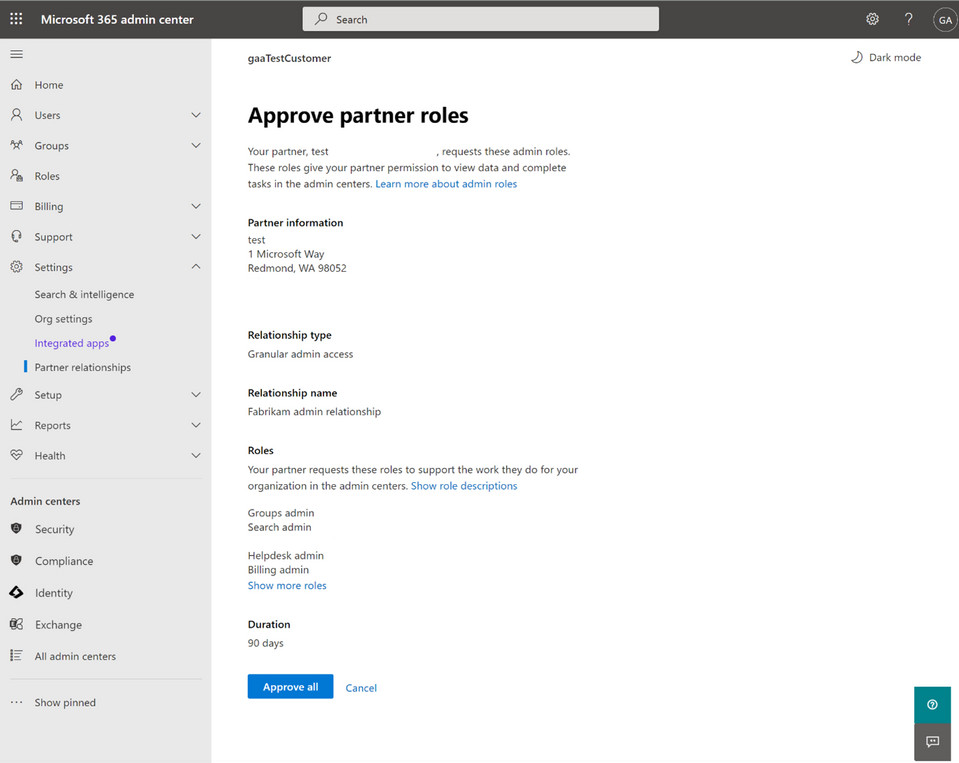
We sign in to your systems the way your own staff do, with our own named logins, so you can see and remove every bit of access.
Our engineers
- Own named admin account each
- Second sign-in step on every one
- No shared logins
Your systems
- Your service desk queue
- Your Microsoft 365
- Your documentation
What you see
- Every job in your queue
- Notes where your team reads them
- A daily note when we're on site
Your queue, your process
Jobs we take are logged and worked in your service desk, with your categories and priorities. If you don't have one, ours is there to use.
Our own named accounts
Each of our engineers signs in with their own named admin account and a second sign-in step. No shared logins, so every change traces back to a person.
Access you can see and remove
You approve what we can reach, and you can take it away. Microsoft's own guidance for partners is least-privileged, time-bound access that the customer explicitly grants.1
Notes your team can follow
We document as we go, where your team keeps its notes. When a project ends, the know-how stays with you. Your passwords and documentation are yours, and if we part ways we hand everything over.
"Will you go around me?" and other fair questions
The questions in-house IT people ask us first, with straight answers.
Are you here to replace me?
No. Co-managed IT only works if you stay. You know the business, the people and the systems nobody wrote down. We add hands and specialist depth behind you.
Will you go around me to my boss?
No. Decisions about your systems go through you. We agree up front who we report to, and your manager sees the same reports you do.
Do we have to switch to your tools?
No. We work in your service desk and your systems with our own named accounts. Where you're missing something, such as 24/7 security monitoring, we can bring ours, and you choose.
Who owns the passwords and documentation?
You do. We document in your systems as we go, and if we ever part ways we hand everything over.
What if we disagree about a fix?
We tell you what we'd do and why, in writing, and you make the call. It's your environment.
Who do our staff contact?
Whoever the split says. Some teams keep the first call and hand us the rest; others send everything to us and keep the business systems. It's written down either way.
What changes for the IT person, and for their manager
Same arrangement, different relief.
Illustrative scenario, based on situations we see often. Not a single client.
If you're the IT person
I need another pair of hands, not a takeover.
A two-person IT team at a 120-staff firm had a Microsoft 365 move due and no time to plan it. We supplied an engineer and a project manager for the move while they kept the help desk running, and handed back the runbook.
- Cover for leave, sick days and the 2 am alerts
- Specialists for security, identity and projects when you need them
- Your process, your queue, your call
Weekends back, and you're no longer the only one holding the passwords.
Draw the split you'd wantIf you manage the IT person
What happens when our IT person is away, or leaves?
An operations manager realised everything about their systems lived in one person's head. With co-managed support, the documentation now sits in their own systems and a second team knows the setup.
- Cover that doesn't stop when one person is away
- A written split, so you know who owns what
- A cost scoped to what we take on, quoted before you commit
Less riding on one person, and an IT person who stays.
Six technology occupations are in national shortage in 2026, and four of them, including cybersecurity architects and cloud engineers, have been in shortage for at least six years.3
Source: Jobs and Skills Australia, 2026 Occupation Shortage List, via Information Age (ACS), a news summary, 22 October 2026.
See how we startExtra hands: engineers, field techs and project managers
Sometimes the gap is a person, not a service. We place engineers, field techs and project managers with your team, working in your systems under your direction.
Engineers
For projects, escalations and specialist work such as identity, security hardening, networks and Microsoft 365.
Field techs
On site at your locations, working in your service desk, with a short daily note of what was done.
Project managers
To scope, plan and run a project with your team, so your IT lead isn't project managing as well as doing the work.
How we start, step by step
Typical for a team of one to five IT people. Your written split says what happens and when, before you commit.
- Before you commit
A chat, then a written split
A free 30 minute chat with a senior engineer. Then we write down who does what, what it costs and what we need from you. It's quoted before you commit.
What we need from you: Half an hour, and your list of what's stretching the team.
- First week
Access, done properly
Named admin accounts for our engineers, approved by you, and access to your service desk. Our monitoring goes on only where we've agreed to run it.
What we need from you: Someone who can approve access.
- First month
Working side by side
We take the agreed jobs in your queue and document as we go, with regular check-ins with your IT lead while we settle in.
What we need from you: Time with your IT lead to agree how jobs are tagged and handed over.
- From then on
Review the split
Look at what's working and whether the split should change. It can change as your team does.
What we need from you: Honest feedback.
When co-managed IT isn't the right fit
We'd rather tell you now than sell you something that won't work.
It may not suit you if
- Nobody in-house can own IT decisions. Fully managed IT, where we own it end to end, will suit you better.
- Your IT person is leaving and won't be replaced. Same answer: fully managed, with a proper handover from them first.
- You want one project done and nothing ongoing. A quoted project, or a labour hire placement for its length, suits you better.
- You need a person on a 24/7 help desk. After hours we're best effort, for urgent P0 and P1 issues; only security monitoring runs 24/7.
What we need from you. It's a short list.
- An IT lead who can say yes or no, and answers within a few days.
- Admin access for our named accounts, never shared logins.
- Agreement on where jobs are logged and who staff contact first.
- Your team telling us early when something looks odd.
Check us before you give us access
You're handing admin access to people outside your team. You should be able to check how we protect it.
- SMB1001 Diamond
- Independently audited by BSI, against 39 controls at Diamond in 2026. Check it on CyberCert Verify.
- ASD Network Partner
- Part of the Australian Signals Directorate's partner network.
- 4.8 from 40+ Google reviews
- From the businesses we look after. Read what clients say.
- Since 2013
- In business since 2013, with Real Bytes as it is today formed in 2017.
Our stack: Guardz with SentinelOne, Huntress, Check Point, Microsoft, Ubiquiti UniFi, ConnectWise, Pax8.
We also support, when a client already has them: CrowdStrike, Sophos, Fortinet, Meraki, Veeam.
Some of the people your team would work with
 Philip VernerDirector
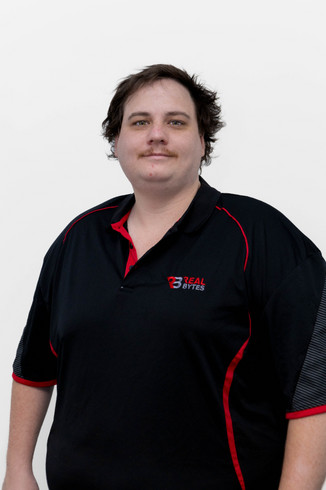 Blake BathGeneral Manager
 Mason WiseMSP Practice Lead
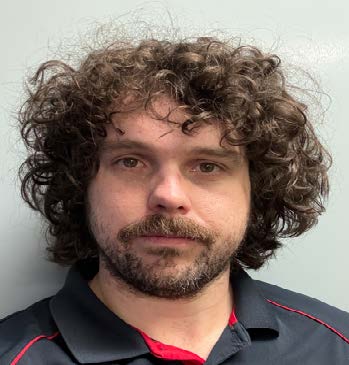 Mitchell MorganAutomation & Platform Lead
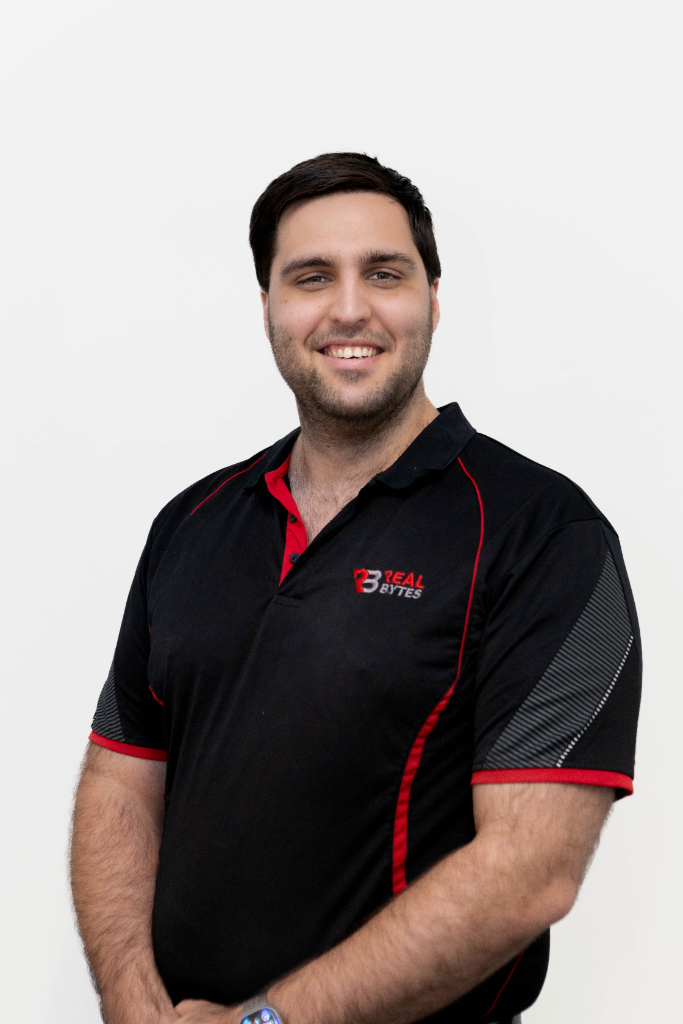 Travis JacobOperations Manager
 Bill Nobbs-O'BrienService Desk & Field Engineer
Photos: Real Bytes. Meet our engineers
Questions about co-managed IT
What is co-managed IT?
You keep your own IT staff, and we add engineers, tools and cover where they need it: a project, specialist skills, leave cover, security monitoring or after hours. Your team stays in charge, and who does what is written down.
Will you try to replace our IT team?
No. The point is to make your team stronger. We agree who owns what at the start and document our work in your systems, so your people keep the know-how.
Do we have to use your tools?
No. We work in your service desk and your tools, with our own named accounts so every change is traceable. Where you don't have something, such as 24/7 security monitoring, we can bring ours.
How do your engineers get into our systems?
With their own named admin accounts and a second sign-in step, only to the systems you approve. You can see and remove that access whenever you like.
Why not just hire another engineer?
Sometimes that's the right answer, and we'll say so. Specialist security and cloud roles are hard to fill, and one hire is still one set of skills and one person's leave. Co-managed IT gives your team several specialists for the hours you need them.
How much does it cost?
Co-managed IT is scoped to what we take on, so it's quoted before you commit. It sits in the Custom plan on our Pricing page, built from the same published rates as every other plan, and the written split shows exactly what's included.
Can you cover after hours?
Our engineers answer in business hours, Monday to Friday. After hours, Chip, our AI receptionist, answers and logs the request, and the on-call engineer is called for urgent P0 and P1 issues, best effort. Security monitoring runs 24/7.
What happens when our IT person goes on leave?
We cover the jobs in your split, in your queue and your process. A handover before they go and a handback when they return keep it tidy.
Can you place someone with our team?
Yes. Labour hire covers engineers, field techs and project managers, placed with your team and working in your systems. How labour hire works.
Will we be locked into a long contract?
No. Three months, then month to month on 60 days' notice. No exit fees. Onboarding is quoted before you commit.
Where is your team stretched? Bring the list.
Tell us what's on your team's plate. We'll tell you honestly where extra hands would help, and where they wouldn't. Bring the split you drew above if you made one.
Three months, then month to month on 60 days' notice. No exit fees. Onboarding is quoted before you commit.
Already a client? Log a job in your portal or email helpdesk@realbytes.com.au.
What happens next
- You pick a time that suits you.
- One of our engineers calls you. It takes 30 minutes and it's free. There's no slide deck.
- If we can help, we send a written plan. If we can't, we'll tell you who can.
- Nothing happens until you say yes.
Rather hand it all over? See managed IT and cyber security. Need a person for a project? See labour hire. Planning and budget alongside your IT lead? See IT strategy.
Sources
Figures checked 22 November 2026. The small numbers on this page link here.
- Microsoft Learn, Introduction to granular delegated admin privileges (GDAP). Microsoft, read 22 November 2026
- Microsoft Learn, Customer approval of partner GDAP request. Microsoft, read 22 November 2026. Screenshot used with permission from Microsoft
- Information Age (ACS), Only six tech jobs now face worker shortages in Australia. 22 October 2026, a news summary of Jobs and Skills Australia's 2026 Occupation Shortage List
- CyberCert Verify. Search Real Bytes to check our SMB1001 certificate