
 Remote
Infrastructure design
IT that doesn't fall over when one thing breaks.
Most business networks grew one box at a time. Nobody has the full picture, one failed switch can stop the office, and an attacker who gets in can reach everything. We map what you have, design what it should be, build it in stages and look after it afterwards.
Fixed-price design. A documented handover. Room to grow.
- No single point of failure
- Separated network zones
- Replacements planned, not rushed
Reviewed by Blake Bath, General Manager, on 31 October 2026.
What changes
What's different once it's designed properly.
Fewer surprises, and no emergency spending.
You know what you have
A plain list of servers, network gear, links and cloud services, and what's due for replacement.
- Listed
- Owned
- Dated
One fault doesn't stop the office
Backup internet, spare power and no single box everything depends on.
- Second link
- UPS
- No single point
A break-in stays contained
Staff, guests, cameras and finance on separate parts of the network.
- Zones
- Rules
- Logged
Recovery is planned
We agree how long you can be without each system, then build backups to match and test them.
- Agreed
- Built
- Tested
Spending is planned
Replacements mapped over the next few years, so you budget instead of paying for emergencies.
- Three-year view
- Staged
- No surprises
Single point of failure check
Eight signs your IT can take a hit.
Tick what's true today. Each gap is a fault or an attacker away from a bad day.
Tick what's true for your business today. If you're not sure, leave it unticked: that's usually the answer.
Where you stand
0of 8 signs in place
8 gaps to close.
- There's a current list of your gearYou can't plan replacements, or spot an old box facing the internet, without one.
- A second internet link or 4G/5G backupOne link is one fault away from a day off.
- Core gear is on a UPSA short power blip shouldn't reboot the office.
- Staff, guests, cameras and finance are separatedAn attacker in one part can't walk into the rest.
- Nothing important is out of supportSoftware flaws are now the most common way attackers get in.
- Backups are tested by restoringA backup you haven't restored is a hope, not a plan.
- More than one person can get in as adminIf that person's away or leaves, nobody can fix anything.
- The cabinet has room to growA full cabinet turns the next switch into a rebuild.
Why it matters
Old network gear is a way in.
Verizon's 2026 Data Breach Investigations Report found that 31% of breaches now start with attackers exploiting a software flaw. That puts software flaws ahead of stolen passwords as the top way in.
Firewalls, VPNs and remote access boxes facing the internet are exactly the kind of gear that grows old quietly in a cupboard. Design starts with a list of what you have and whether it still gets security updates.
Source: Verizon 2026 Data Breach Investigations Report, top takeaways, read 31 October 2026.
What you get at the end
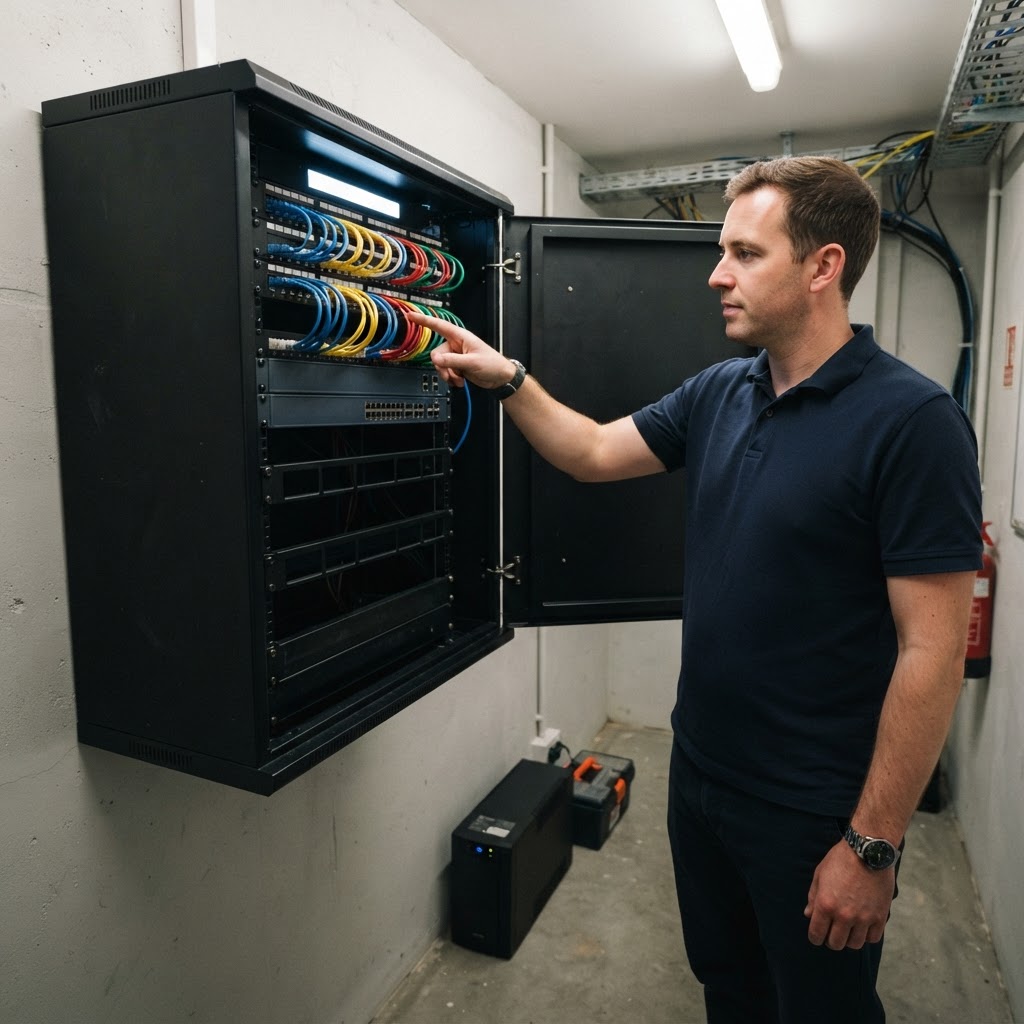
A cabinet anyone could pick up.
Good infrastructure outlives the people who built it. The handover pack means the next person isn't guessing.
- Labelled and tidy
Patch panels, leads and switch ports labelled, with short leads and cable management.
- Spare space
Room in the rack and spare switch ports, so the next switch doesn't mean a new cabinet.
- As-built floor plan
Where every outlet, access point, camera and reader ended up, not where the first drawing put them.
- Outlet and cable schedule
Each outlet's label, its location and the patch panel port it lands on.
- Cable test results
A tester report for each run, matched to its label, so a fault can be traced.
- Cabling advice form
The TCA1 a registered cabler signs to say the work meets the Australian wiring rules.
- Network diagram and address plan
How the zones fit together, the address ranges, and the rules between them.
- Device list with dates
Every device, its serial number, firmware, warranty and when it falls out of support.
- Configuration backups
A saved copy of each gateway and switch setup as handed over.
- Photos
The finished cabinet, front and back, so you can see when something's changed.
- Admin access recorded
Stored where your business controls it, not in one engineer's head.
Mistakes we see
Five ways business networks get fragile.
- One flat networkThe guest Wi-Fi can see the finance PC.
- The firewall nobody updatesStill running, long out of support, facing the internet.
- One person knows the passwordsAnd they left last year.
- Backups never restoredDiscovered to be broken on the day they're needed.
- A full cabinetNo room, no spare ports, cables everywhere.
What happens
Priced before anything is built.
- Step 1Look
We review what you have and talk to the people who use it.
- Step 2Design
A written design and plan in plain English, with the cost of each stage.
- Step 3Build
Installed in stages, out of hours where needed.
- Step 4Look after it
Monitoring, updates and support. When something fails, we own it until it's fixed.
Related
Design is the plan. These are the parts.
Often done together.
Get help your way
Six ways to reach us. Pick whichever suits you.
Helpdesk hours are Monday to Friday, 8am to 5pm AEST. On Advantage and above, emergencies get a response within 1 hour and outages within 2, with 24/7 best-effort escalation.
- Call 07 3114 2808
An engineer answers Monday to Friday, 8am to 5pm AEST. After hours, weekends and public holidays, Chip, our AI agent, answers on the same number or on 07 3180 0965, logs it and escalates urgent incidents to the on-call engineer.
Call now - Email the helpdesk
Send it to helpdesk@realbytes.com.au and a ticket is logged straight away, with a reference number you can quote.
Email us - Client portal
Log and follow your tickets, see what we are working on and who has it.
Open the portal - Remote support
When an engineer asks to see your screen, start a secure session here. You start it, so nobody sees your screen until you do.
Start a session - Chat in Microsoft Teams
Clients can message Chip, our AI assistant, in Teams to log a request without leaving their desk.
How clients reach us - Service status
Check whether Microsoft 365 or another cloud service is down before you lose an hour troubleshooting.
See live status
Questions
What people ask about infrastructure design.
When do we need this?
When you're moving office, opening a new site, replacing old servers or network gear, growing fast, or after an outage that showed how fragile things are.
How long does it take?
It depends on how many sites and systems you have. We give you a timeline for the review and design up front, and the build is staged so work carries on.
What does it cost?
We quote a fixed price for the review and design once we understand your setup, so you know the cost before work starts. The build is quoted separately, stage by stage.
What do we get at handover?
A tidy, labelled cabinet with spare space, plus a handover pack: an as-built floor plan, an outlet and cable schedule, test results for each cable run, the signed cabling advice form, a network diagram with the address and zone plan, a device list with serial numbers, firmware and warranty dates, saved configuration backups, photos, and admin access stored where your business controls it. If someone else looks after it one day, they can pick it up from that.
How much spare space do you leave?
Enough for growth, usually 30 to 50 percent more rack space than today's gear needs. That's a planning allowance, not a standard. Our cabinet sizer does the sum.
Does this help with the Essential Eight or SMB1001?
Yes. Several of their controls depend on how your network and systems are set up, such as backups, admin access and patching. We design with those in mind from the start.
Next step
Moving office or replacing old gear?
Talk to us before you buy anything.

Keep reading
- Network cabinet standards Guide.
- New office setup Service.
- Managed networks Service.
- Contact Talk to us.
Reviewed by Blake Bath, General Manager, on 31 October 2026. Breach figure from Verizon's 2026 DBIR and cabling form rules from ACMA, checked 31 October 2026. Verizon, 2026 Data Breach Investigations Report; ACMA, Cabling advice forms