
 Remote
New office and site setup
Move in on Monday, and have everything work.
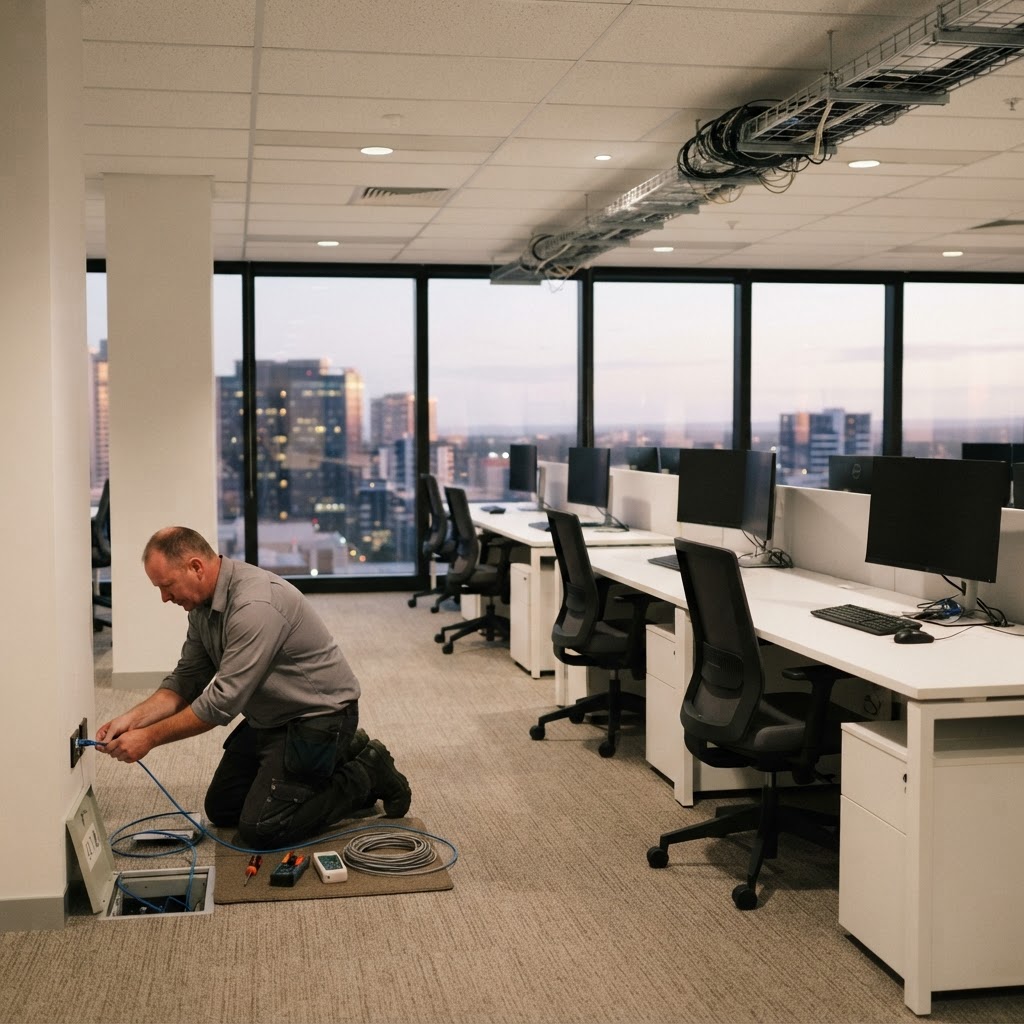
A new office means an internet provider, cablers, an electrician, a phone company and someone to set up the meeting room, all needing to line up. When one is late, nobody can work. We plan and run the IT side of the move, and test it before your staff arrive.
Registered cablers, a fixed quote, and engineers on site on day one.
- One team for the whole fit-out
- Tested before move-in
- Fixed quote
Reviewed by Blake Bath, General Manager, on 31 October 2026.
What changes
One team, one plan, one date.
You deal with us. We deal with the trades.
Working on the first morning
Internet, Wi-Fi, desks, printers and phones tested before staff walk in.
- Tested
- Labelled
- Ready
One team for the fit-out
We line up the internet provider, cabling, network, screens and phones.
- One contact
- One plan
- One date
Cabling done once
Data points where the desks actually go, labelled and tested, in a tidy cabinet.
- Registered
- Certified
- Tidy
Room to grow
Planned for next year's headcount, so adding people doesn't mean ripping things out.
- Spare points
- Spare ports
- Spare space
Office move planner
What has to happen, and in what order.
Put in your move date and what the new site needs. Copy the plan and share it with whoever's running the fit-out.
Tell us when you move and what's needed. You get the order things have to happen in, and what's at risk.
Your move plan
On track if you start now
- Now. Send us the floor plan and the move date. We walk the space and quote.
- Now. Order the new internet service. Business connections can take several weeks.
- This week. Lock in data point positions with the builder so cabling goes in before the ceilings close.
- With the fit-out. Registered cablers run, label and test every point. You get a signed certification statement.
- Week before. Cabinet, switches and Wi-Fi installed and tested in the empty space.
- Move day. Engineers on site from first thing, then support from there.
Why it matters
Cabling has to be done by a registered cabler.
In Australia, telecommunications and data cabling must be done or supervised by a cabler registered under the ACMA's cabling rules, and it must meet the Wiring Rules (AS/CA S009:2020). That's the law, not a nice-to-have. Unregistered work can be unsafe and may cause problems with insurance.
Every cable run on a Real Bytes job is done by registered cablers, either our own people or trusted partners, and we stand behind it.
- Registration card
Ask to see it. The first letter of the number shows which of the four registrars holds it: ACRS, ASIAL, FPA Australia or TITAB.
- Signed statement
At the end of the job the cabler must give you a signed statement that the work meets the Wiring Rules. Keep it with your lease papers.
- TCA2 for old cabling
If they find existing cabling that doesn't meet the standards, they can tell you on a TCA2 form, even if it's outside the job.
From the ACMA's guidance on registered cablers and cabling advice forms, read 31 October 2026.
What we look after
Everything IT in the new space.
- InternetOrdered early, with a backup link if downtime would hurt.
- Cabling and the comms cabinetData points, patching, labelling and testing.
- Wi-Fi and networkPlanned from the floor plan and checked on site.
- PhonesNumbers moved so calls ring at the new office on day one.
- Meeting roomsScreens mounted, connected and tested with a real call.
- Moving existing gearPacked after close, reconnected over the weekend.
Mistakes we see
Four ways an office move goes wrong.
- Internet ordered lastEverything else is ready and nobody can get online.
- Data points after the ceilings closeCosts more, takes longer, and looks worse.
- Points where the desks used to beThe plan changed and the cabling didn't.
- No spare capacityFull switch, full cabinet, and five new starters next quarter.
What happens
Priced before anything is installed.
- Step 1Walk the space
On site or from floor plans, we agree where people, screens and gear go.
- Step 2Fixed quote
Every item, cable run and date listed before you commit.
- Step 3Build and test
Installed and tested before move-in, often after hours.
- Step 4Move in
Engineers on site for the first day, then support from there.
Related
The move is one part. The rest of the build.
Often done together.
Get help your way
Six ways to reach us. Pick whichever suits you.
Helpdesk hours are Monday to Friday, 8am to 5pm AEST. On Advantage and above, emergencies get a response within 1 hour and outages within 2, with 24/7 best-effort escalation.
- Call 07 3114 2808
An engineer answers Monday to Friday, 8am to 5pm AEST. After hours, weekends and public holidays, Chip, our AI agent, answers on the same number or on 07 3180 0965, logs it and escalates urgent incidents to the on-call engineer.
Call now - Email the helpdesk
Send it to helpdesk@realbytes.com.au and a ticket is logged straight away, with a reference number you can quote.
Email us - Client portal
Log and follow your tickets, see what we are working on and who has it.
Open the portal - Remote support
When an engineer asks to see your screen, start a secure session here. You start it, so nobody sees your screen until you do.
Start a session - Chat in Microsoft Teams
Clients can message Chip, our AI assistant, in Teams to log a request without leaving their desk.
How clients reach us - Service status
Check whether Microsoft 365 or another cloud service is down before you lose an hour troubleshooting.
See live status
Questions
What people ask before a move.
How far ahead should we call you?
As soon as you have a floor plan. A new business internet service can take several weeks, and cabling is easiest before the walls and ceilings go up.
Can you move our existing equipment?
Yes. We check what's worth keeping, move it, and only quote new gear where the old won't do the job.
Do you do the cabling yourselves?
Cabling is done by registered cablers, either our own people or trusted partners, depending on the location. Either way we manage it and stand behind it.
How do I know a cabler is registered?
Ask to see their registration card. The first letter of the number tells you which of the four registrars holds it, and you can check it's current with that registrar. At the end of the job they must give you a signed statement that the work meets the Wiring Rules.
What's a TCA2 form?
A registered cabler uses it to tell you about existing cabling that doesn't meet the standards, even if it's outside their job. It's common in older buildings. You decide what to fix.
Can the move happen without downtime?
Usually. We build the new site ahead of time and switch over after hours or on a weekend, so staff finish on Friday in the old office and start Monday in the new one.
Next step
Moving soon?
Send us the floor plan and the move date, and we'll plan the IT around it.

Keep reading
Reviewed by Blake Bath, General Manager, on 31 October 2026. Cabling rules from the ACMA, checked 31 October 2026. ACMA, find a registered cabler; ACMA, cabling advice forms TCA1 and TCA2