
 Remote
Sustainable IT
The greenest laptop is the one you already own.
Most of a device's footprint comes from making it, so the biggest wins are keeping hardware longer, disposing of it properly and not running cloud servers you do not need. Here is how, what Australian rules apply, and a calculator that shows what a longer refresh cycle saves.
Australian scheme and reporting details checked 30 October 2026.
- Longer lifecycles
- E-waste done right
- Refresh calculator
Reviewed by Blake Bath, General Manager, on 30 October 2026.
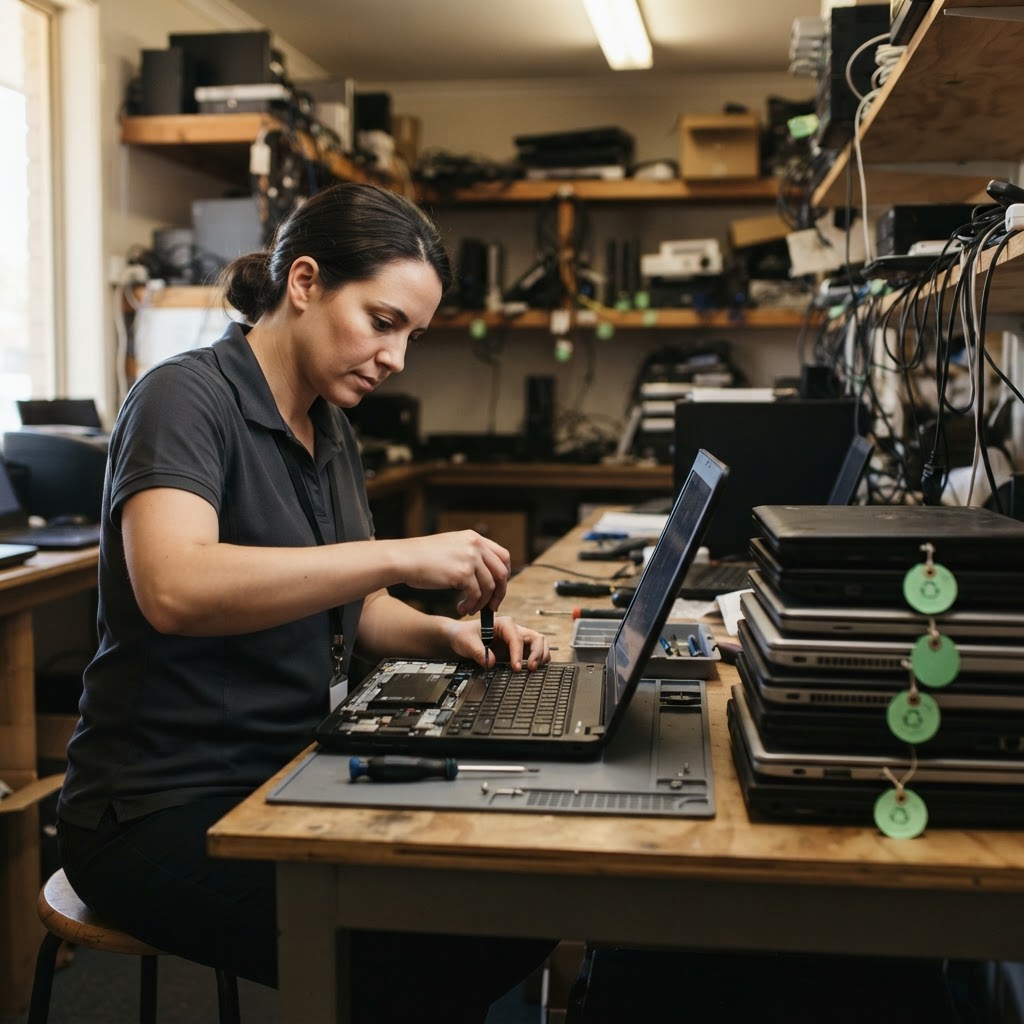
What we see
Where IT waste comes from.
Each of these costs money as well as carbon.
Replacing on a timer
Laptops replaced at three years when a battery would have kept them going.
- Condition-based refresh
- Battery and SSD swaps
- Redeploy
Drawers of old devices
Laptops and phones sitting in a cupboard with data still on them.
- Asset register
- Wipe and record
- Reuse or recycle
Recycling without records
Devices handed to whoever collects them, with no proof of what happened.
- Certified recycler
- Certificates kept
- Data wiped first
Cloud left running
Test servers and oversized machines running 24/7.
- Right-size
- Schedules
- Reports
Refresh cycle calculator
What does a longer refresh cycle save?
Enter your fleet and laptop price, and the embodied carbon figure if you have it. You get the laptops, dollars and carbon avoided over ten years.
Compare two refresh cycles over ten years. Use your own price, and the carbon figure from your laptop maker's product carbon footprint if you have it.
Over ten years
40fewer laptops bought
About 100 laptops on a 3-year cycle against 60 on a 5-year cycle. That is about A$72,000 at today's price.
A longer cycle only works if the laptops stay supported, healthy and fast enough. Budget for batteries and the odd repair.
Devices
Keeping devices in use longer.
- Refresh on condition, not ageCheck support, battery health, performance and repair cost each year.
- Repair before replaceBatteries, keyboards and SSDs are cheap next to a new laptop.
- Buy business-gradeLonger support, available parts and longer warranties.
- Redeploy before retiringA laptop too slow for design work can serve reception for years.
- Mind the support dateA device that cannot run supported software has to go, however healthy.
Disposal
Disposing of IT properly.
| Step | What good looks like |
|---|---|
| Register | Every device recorded from purchase to disposal |
| Sanitise | Storage wiped or destroyed by a method suited to the drive and data, with a record per device |
| Reuse | Working devices redeployed, sold or donated |
| Recycle | The rest through a recycler certified to AS 5377, with certificates kept |
| Report | Weight recycled and devices reused, ready for customer or ESG questions |
The National Television and Computer Recycling Scheme funds collection for householders and small businesses through AS 5377 certified recyclers. Victoria has banned e-waste from landfill since July 2019.
Cloud and servers
Using cloud efficiently.
- Right-sizeMatch servers to actual use and review every quarter.
- Switch off what is idleTest and development machines on schedules.
- Move cold data down a tierArchive storage for files nobody opens.
- Use the free reportsAzure's Carbon optimization, and the AWS and Google equivalents, show the emissions from your cloud use.
Australian context
Which rules apply.
- Climate reportingLarge businesses report now. Group 2 starts with years beginning 1 July 2026, Group 3 from 1 July 2027. Scope 3 is phased in from 2027. Proposed threshold changes are not yet law.
- Customer questionnairesLarge customers increasingly ask suppliers for emissions and disposal data.
- Modern Slavery ActBusinesses with A$100 million or more in revenue report on supply chain risks, which include IT hardware.
- E-waste rulesThe NTCRS nationally, plus state landfill bans such as Victoria's.
General information only. Check your own reporting obligations with your accountant or adviser.
Our view
Sustainability and cost point the same way.
The greener option in IT is almost always the cheaper one: fewer laptops bought, servers sized to need, and nothing running that nobody uses. We plan refreshes on condition and support dates, not birthdays.
The one place not to save is disposal. Wiping storage properly and keeping records protects your data and gives you an answer when a customer asks what happened to your old devices.
The order
Greener IT in five steps.
- Step 1Register everything
Know what you have and how old it is.
- Step 2Stretch the cycle
Repair and redeploy before replacing.
- Step 3Dispose properly
Wipe, record, reuse, recycle.
- Step 4Trim the cloud
Right-size and switch off idle.
- Step 5Report it
Simple numbers for customers and ESG.
Related guides
Buying less is the start. Buying right is the rest.
Laptops, servers and the cloud.
Get help your way
Six ways to reach us. Pick whichever suits you.
Helpdesk hours are Monday to Friday, 8am to 5pm AEST. On Advantage and above, emergencies get a response within 1 hour and outages within 2, with 24/7 best-effort escalation.
- Call 07 3114 2808
An engineer answers Monday to Friday, 8am to 5pm AEST. After hours, weekends and public holidays, Chip, our AI agent, answers on the same number or on 07 3180 0965, logs it and escalates urgent incidents to the on-call engineer.
Call now - Email the helpdesk
Send it to helpdesk@realbytes.com.au and a ticket is logged straight away, with a reference number you can quote.
Email us - Client portal
Log and follow your tickets, see what we are working on and who has it.
Open the portal - Remote support
When an engineer asks to see your screen, start a secure session here. You start it, so nobody sees your screen until you do.
Start a session - Chat in Microsoft Teams
Clients can message Chip, our AI assistant, in Teams to log a request without leaving their desk.
How clients reach us - Service status
Check whether Microsoft 365 or another cloud service is down before you lose an hour troubleshooting.
See live status
Questions
What people ask about sustainable IT.
What is the biggest thing a small business can do to make IT more sustainable?
Keep devices in use longer. Most of a laptop's footprint comes from making it, so stretching a refresh from three years to five, with a battery or SSD swap along the way, cuts both carbon and cost. Manufacturers publish a product carbon footprint for many business models if you want the figure.
Can businesses use the free TV and computer recycling scheme?
The National Television and Computer Recycling Scheme provides industry-funded collection for householders and small businesses, through recyclers certified to AS 5377. Larger volumes usually go through a commercial recycler or an IT asset disposal service.
Do we have to report IT emissions?
Only the largest businesses report under Australia's climate reporting rules today. More come in from July 2026 and July 2027, and value-chain (Scope 3) emissions are being phased in from 2027. Smaller businesses may be asked for data by large customers. The 2026-27 Budget proposed raising some thresholds, but that is not yet law.
How do we dispose of old laptops safely?
Wipe or destroy the storage using a method suited to the drive type and data, keep a record per device, then reuse or donate what still works and recycle the rest through a certified recycler. ASD's guidelines for media cover sanitisation.
Is cloud greener than our own server?
Often, because large data centres run more efficiently than a server in a cupboard. It depends on right-sizing: an oversized cloud server running all night is not green. Microsoft, AWS and Google all provide free emissions reporting for your cloud use.
Next step
Want a refresh plan that costs less and wastes less?
We review your fleet, plan refreshes on condition and support dates, and handle wiping and certified recycling with records you can keep.

Keep reading
Reviewed by Blake Bath, General Manager, on 30 October 2026. Scheme and reporting details from government and adviser publications. General information only. Checked 30 October 2026. DCCEEW, National Television and Computer Recycling Scheme changes; Sodali, Climate reporting in Australia and the 2026-27 Budget; ASD, Guidelines for media; Microsoft Learn, Carbon optimization in Azure