
 Remote
Teams Rooms
A good meeting room starts on time. One tap, and everyone can see and hear.
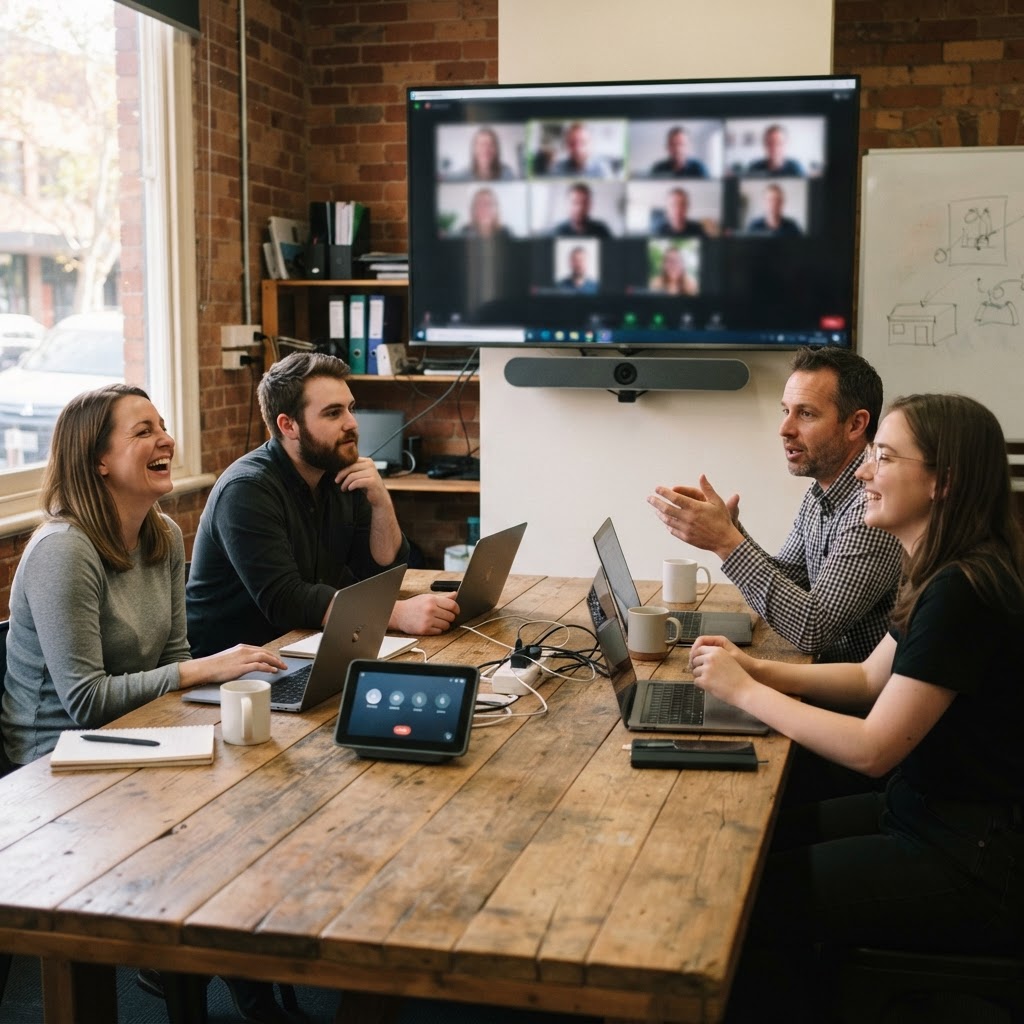
Most meeting room trouble is cables, audio and a laptop that will not share. Here is when a Microsoft Teams Room is worth it, Basic vs Pro licensing with Australian prices, hardware by room size, and a planner that works out the licence and kit for your rooms.
Licensing from Microsoft Learn, pricing from Pax8, checked 30 October 2026.
- Basic vs Pro
- Hardware by room size
- Rooms planner
Reviewed by Blake Bath, General Manager, on 30 October 2026.
What we see
Five reasons meeting rooms do not work.
Most are about the room and the setup, not the software.
Cable hunting
Ten minutes of every meeting spent finding the right adapter.
- One-tap join
- Touch console
- Wireless share
Nobody can hear
Glass walls, hard floors and one microphone at the end of the table.
- Mics for the room size
- Acoustic panels
- Tested
Screen too small
The back row cannot read shared content.
- Sized by furthest seat
- Dual screens
- Eye height
Consumer kit
A webcam on a tripod and a laptop that leaves with its owner.
- Certified hardware
- Room account
- Supported
Nobody looks after it
Updates fail and the room breaks before a client meeting.
- Pro management
- Health alerts
- Monthly check
Teams Rooms planner
Work out the licence and kit for your rooms.
Count your rooms by size and tick the features you want. You get Basic or Pro, a monthly licence estimate in AUD and the hardware class for each room.
Count your rooms by size and tick what you need. You get the licence, an estimate and the hardware class for each room.
Teams Rooms Pro
A$252a month ex GST, one-year term
You want remote management and alerts, which need Teams Rooms Pro.
Month to month is A$71.88 a room. Prices are Pax8 suggested retail, ex GST, checked 30 October 2026.
- 1 x Huddle (2 to 4): All-in-one video bar with touch console, one screen
- 2 x Small (4 to 6): All-in-one video bar with touch console, one 55 to 65 inch screen
- 1 x Medium (6 to 12): Larger video bar, touch console, dual screens, optional second camera
Licensing
Teams Rooms Basic vs Pro.
| Teams Rooms Basic | Teams Rooms Pro | |
|---|---|---|
| Price (ex GST) | Free | About A$62.90 a room a month on a one-year term |
| Rooms | Up to 25 | Unlimited |
| One-tap join, sharing, Zoom and Webex join | Yes | Yes |
| Dual screens, front row, meeting chat | No | Yes |
| Phone calls from the room | No | Yes, Teams Phone Standard included |
| Conditional Access on the room account | No | Yes |
| Remote configuration, alerts, analytics | No | Yes |
| Intune, Entra ID P1, Defender for Endpoint P2 | No | Included |
Pro price is Pax8 suggested retail in October 2026, A$71.88 a room month to month. Each licence covers one room. Shared Space and per-user licences cannot be used on Teams Rooms.
Hardware
Hardware by room size.
| Room | Typical kit | Watch for |
|---|---|---|
| Huddle, 2 to 4 | All-in-one video bar with touch console, one screen | Camera field of view in a small space |
| Small, 4 to 6 | Video bar with auto-framing, touch console, 55 to 65 inch screen | Screen size for the furthest seat |
| Medium, 6 to 12 | Larger video bar, touch console, dual screens, optional second camera | Microphone reach and room echo |
| Boardroom, 12+ | Separate camera, ceiling microphones and speakers, touch console | Needs an AV design, not a box |
Buy only hardware certified for Microsoft Teams. Uncertified gear may work on the day and break with the next update.
Two approaches
Teams Room or bring your own device?
- Teams RoomA dedicated room system with its own account. Walk in, tap join. Best for booked rooms and boardrooms.
- Bring your own deviceA USB camera bar and screen. Staff plug in their laptop. Works with any platform. Best for drop-in spaces.
- Network firstWired connections for room systems, and Wi-Fi that can carry several video calls at once.
- Room accountsEach Teams Room has its own resource account and licence, with a consistent name.
Our view
Spend on audio before the camera.
People forgive a soft picture. They do not forgive missing half of what was said. In most rooms we fix, the bigger improvement came from microphones and a few acoustic panels, not the camera.
For a handful of rooms, Basic is often enough. Once you have rooms people rely on for client meetings, Pro's alerts and remote management pay for themselves the first time a room fails before a meeting rather than during it.
The order
Setting up meeting rooms in five steps.
- Step 1Audit each room
Size, seats, screens, power, network and acoustics.
- Step 2Pick a standard per size
One kit per room size, certified for Teams.
- Step 3Set up accounts and licences
A resource account and licence per room.
- Step 4Install and test
Mounted, cabled and tested with real calls.
- Step 5Show the team
Join, share and camera controls in five minutes.
Related guides
The room is one part. Here is the rest.
Calls, the network and the licences behind them.
Get help your way
Six ways to reach us. Pick whichever suits you.
Helpdesk hours are Monday to Friday, 8am to 5pm AEST. On Advantage and above, emergencies get a response within 1 hour and outages within 2, with 24/7 best-effort escalation.
- Call 07 3114 2808
An engineer answers Monday to Friday, 8am to 5pm AEST. After hours, weekends and public holidays, Chip, our AI agent, answers on the same number or on 07 3180 0965, logs it and escalates urgent incidents to the on-call engineer.
Call now - Email the helpdesk
Send it to helpdesk@realbytes.com.au and a ticket is logged straight away, with a reference number you can quote.
Email us - Client portal
Log and follow your tickets, see what we are working on and who has it.
Open the portal - Remote support
When an engineer asks to see your screen, start a secure session here. You start it, so nobody sees your screen until you do.
Start a session - Chat in Microsoft Teams
Clients can message Chip, our AI assistant, in Teams to log a request without leaving their desk.
How clients reach us - Service status
Check whether Microsoft 365 or another cloud service is down before you lose an hour troubleshooting.
See live status
Questions
What people ask about Teams Rooms.
Is Teams Rooms Basic free?
Yes. Microsoft's Teams Rooms Basic licence costs nothing for certified Teams Rooms systems, up to 25 per organisation, one system per room. You add it in the Microsoft 365 admin center, which asks for payment details but does not charge.
What does Teams Rooms Pro cost in Australia?
About A$62.90 a room a month on a one-year term, or A$71.88 month to month, ex GST, at Pax8's suggested retail price in October 2026. Your provider's price may differ slightly.
When do we need Teams Rooms Pro instead of Basic?
When you have more than 25 rooms, or need dual screens, front row, meeting chat, phone calls from the room, Conditional Access on the room accounts, or remote configuration and alerts. Pro also includes Intune, Entra ID P1 and Defender for Endpoint Plan 2 for the room.
Can we use a normal Microsoft 365 licence on a room?
No. Microsoft says a shared meeting device needs a Teams Rooms licence. Per-user Microsoft 365 licences are not allowed on shared meeting devices, and Teams Shared Space licences do not work on Teams Rooms.
Can a Teams Room join Zoom or Webex meetings?
Yes. Direct Guest Join for Zoom and Webex is included in both Basic and Pro.
Should every room be a Teams Room?
Not necessarily. Booked meeting rooms and boardrooms suit a Teams Room. Small drop-in spaces can work well as bring-your-own-device rooms with a USB camera bar, where staff plug in their laptop.
Next step
Want meeting rooms that just work?
We audit your rooms, specify certified kit for each size, set up the accounts and licences, install and test, and look after them afterwards.

Keep reading
Reviewed by Blake Bath, General Manager, on 30 October 2026. Licensing from Microsoft Learn. Australian Pro pricing is Pax8 suggested retail, ex GST. Checked 30 October 2026. Microsoft Learn, Microsoft Teams Rooms licenses; Microsoft Learn, Plan Microsoft Teams Rooms; Microsoft Learn, Create resource accounts for Teams Rooms