
 Remote
Print management
The print server is often the last server in the office. It can usually go.
Cloud printing from Microsoft 365 replaces the print server for most offices, and pull printing stops confidential pages sitting in the tray. Here is what Universal Print includes, when you need more, the scan-to-email change coming in December 2026, and a planner for your office.
Universal Print and Exchange Online details from Microsoft, checked 30 October 2026.
- Universal Print explained
- Scan to email change
- Print planner
Reviewed by Blake Bath, General Manager, on 30 October 2026.
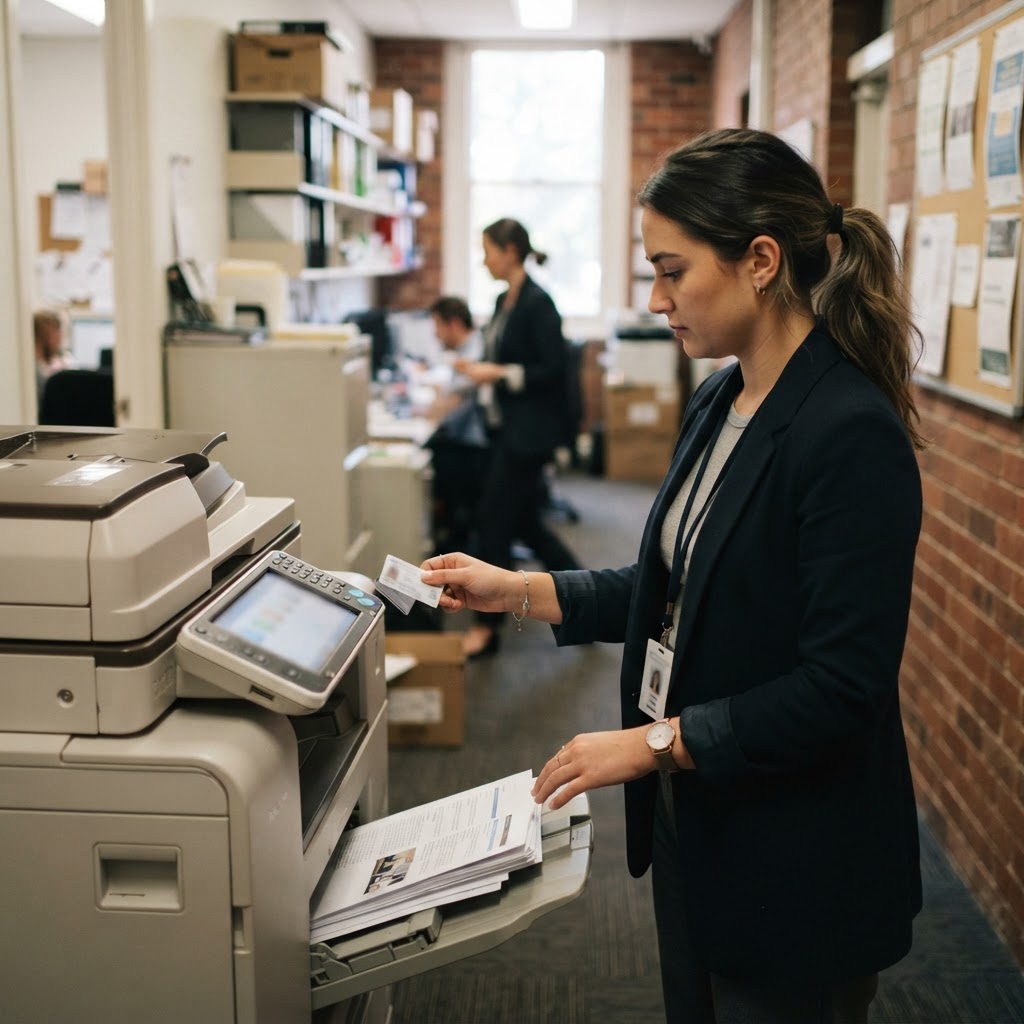
What we find
Five print problems we see in small offices.
Print is boring until a scan stops arriving or a confidential page goes missing.
A server kept for printing
An old Windows server still running because it shares the printers.
- Universal Print
- Direct printing
- Server retired
Scan to email on a password
The copier signs in to a mailbox with a stored password that never changes.
- OAuth or relay
- Scan to SharePoint
- Password removed
Pages left in the tray
Payroll, HR and client documents sitting in the output tray.
- Pull printing
- Card or QR release
- Jobs expire
Copiers on the staff network
Devices running full operating systems next to staff laptops, rarely updated.
- Own network
- Firmware updates
- Admin password changed
Drives leave with the lease
Copier hard drives with scanned documents go back to the leasing company.
- Drive encryption
- Wipe certificate
- Lease clause
Print planner
Will Universal Print cover your office?
Enter how many people print and how often. You get your estimated jobs against the included pool, the option that fits, and a scan-to-email warning if it applies.
A Universal Print job is one document, however many pages or copies. Estimate yours below.
Universal Print
1,680jobs a month, about
Included pool: 2,000 jobs a month (100 per eligible licence, shared across everyone).
Your included jobs should cover normal months.
Scan to email: devices that sign in to Microsoft 365 with a username and password (Basic auth SMTP) will stop working by default at the end of December 2026. Move them to OAuth, a relay connector, or scan to OneDrive or SharePoint.
Microsoft's option
What Universal Print includes.
| Licence | Universal Print | Jobs added to the pool each month |
|---|---|---|
| Microsoft 365 Business Premium | Included | 100 |
| Microsoft 365 E3 and E5 | Included | 100 |
| Microsoft 365 F3 | Included | 5 |
| Windows Enterprise E3 and E5 | Included | 5 |
| Microsoft 365 Business Standard and Basic | Not included | Buy standalone |
| Extra volume | Add-on packs | 500 or 10,000 jobs |
A job is one document, whatever the pages or copies. The pool is shared, so one heavy printer does not run out while others have spare. Printers that do not support Universal Print directly connect through a small connector on a Windows PC or server.
Choosing
Universal Print, print management product, or keep the server.
| Need | Universal Print | Print management product | Local print server |
|---|---|---|---|
| No server to maintain | Yes | Yes (cloud editions) | No |
| Driverless printing from Windows and Mac | Yes | Yes | Drivers to manage |
| Secure release at the printer | QR code or PIN | Card, PIN or app | Add-on software |
| Cost tracking, quotas, charge-back | No | Yes | Add-on software |
| Very old printers | Through a connector | Usually | Yes |
December 2026
Scan to email: what changes and what to do.
Many copiers send scans by signing in to a Microsoft 365 mailbox with a username and password, using SMTP AUTH with Basic authentication. Microsoft is turning that off by default for existing tenants at the end of December 2026. Admins can turn it back on for now, and Microsoft plans to announce a final removal date in the second half of 2027.
The fixes, in order of preference: scan to OneDrive or SharePoint if the copier supports it, use OAuth if the copier firmware supports it, or send through an SMTP relay connector tied to your office's internet address. Each removes a stored password from the copier.
Securing copiers
Copiers are computers. Treat them like one.
- Own networkPrinters on a separate network that reaches only what it needs.
- Firmware updatesOn a regular schedule, before something breaks.
- Admin password changedNever the default from the leasing company.
- Old protocols offTurn off services you do not use, such as FTP and older file sharing.
- Drive encrypted and wipedGet a wipe certificate when the lease ends.
- Pull printing for sensitive workHR, payroll and client files released at the device.
Our view
Move to cloud printing when you fix scan to email.
The December 2026 scan-to-email change is a good moment to sort out printing generally. If you are already on Business Premium, Universal Print covers most small offices at no extra cost, and retiring the print server removes one more box to patch.
If you bill clients for printing, need quotas, or run a large fleet, a print management product is worth the cost. Either way, check the copier lease includes firmware updates and a drive wipe at the end.
The order
Modernising print in five steps.
- Step 1List the printers
Models, firmware, lease end dates and who uses them.
- Step 2Fix scan to email
OAuth, relay, or scan to SharePoint.
- Step 3Pick the platform
Universal Print or a print management product.
- Step 4Roll out with Intune
Printers pushed to devices, no drivers by hand.
- Step 5Retire the server
Once every printer is moved and tested.
Related guides
Print is one job. Here are the others.
Servers, devices and the network printers sit on.
Get help your way
Six ways to reach us. Pick whichever suits you.
Helpdesk hours are Monday to Friday, 8am to 5pm AEST. On Advantage and above, emergencies get a response within 1 hour and outages within 2, with 24/7 best-effort escalation.
- Call 07 3114 2808
An engineer answers Monday to Friday, 8am to 5pm AEST. After hours, weekends and public holidays, Chip, our AI agent, answers on the same number or on 07 3180 0965, logs it and escalates urgent incidents to the on-call engineer.
Call now - Email the helpdesk
Send it to helpdesk@realbytes.com.au and a ticket is logged straight away, with a reference number you can quote.
Email us - Client portal
Log and follow your tickets, see what we are working on and who has it.
Open the portal - Remote support
When an engineer asks to see your screen, start a secure session here. You start it, so nobody sees your screen until you do.
Start a session - Chat in Microsoft Teams
Clients can message Chip, our AI assistant, in Teams to log a request without leaving their desk.
How clients reach us - Service status
Check whether Microsoft 365 or another cloud service is down before you lose an hour troubleshooting.
See live status
Questions
What people ask about print management.
Do we still need a print server?
Usually not. Microsoft Universal Print replaces the print server for most Microsoft 365 offices, and cloud print management products do the same with more features. A local print server mainly survives where printers are too old for cloud printing and cannot use a connector.
Is Universal Print included in our Microsoft 365 plan?
It is included with Microsoft 365 Business Premium, E3, E5 and F3, and Windows Enterprise E3 and E5. Business Premium, E3 and E5 each add 100 print jobs a month to a pool everyone shares. It is not included in Business Standard or Business Basic, but can be bought standalone.
What counts as a print job?
One document sent to the printer. Pages, copies, colour and double-sided do not change the count. Fifteen copies of a ten-page document is one job.
Our copier scans to email. Is anything changing?
Yes. Microsoft is turning off Basic authentication for SMTP AUTH by default for existing tenants at the end of December 2026. Copiers that send scans by signing in to a mailbox with a username and password will stop unless an admin turns it back on. The better fix is OAuth, an SMTP relay connector, or scanning to OneDrive or SharePoint.
What is pull printing?
Jobs wait until the person is at the printer and releases them with a card, PIN or QR code. Confidential pages do not sit in the tray, and jobs nobody collects are never printed. Universal Print offers secure release by QR code, and print management products add card release.
Can we track print costs by department?
Not with Universal Print alone. If you need quotas, charge-back to clients or departments, or detailed cost reports, use a print management product such as PaperCut.
How do we secure office printers?
Put them on their own network, keep firmware updated, change the admin password, turn off old protocols you do not use, encrypt or wipe the internal drive at end of lease, and stop scan to email using a shared password.
Next step
Want the print server gone and scanning sorted?
We move your printers to cloud printing, fix scan to email before December, set up pull printing where it matters, and lock down the copiers.

Keep reading
- On-site servers Retiring them.
- Licensing Business Premium.
- Managed networks Device networks.
- Wi-Fi security Segmentation.
Reviewed by Blake Bath, General Manager, on 30 October 2026. Universal Print and Exchange Online details from Microsoft. Checked 30 October 2026. Microsoft Learn, Get access to Universal Print; Microsoft Learn, Universal Print service description; Microsoft Learn, Set up a multifunction device to send email; Microsoft Exchange Team, Updated SMTP AUTH Basic auth deprecation timeline